How to Adjust the Motion Sensitivity on eufySecurity Cameras
Modified on: Wed, 10 Dec, 2025 at 11:18 AM
Compatible with:
eufyCam 2 Pro, eufyCam 2C Pro, eufyCam 2, eufyCam 2C, eufyCam, SoloCam E40, SoloCam L40, SoloCam S230, Floodlight Cam 2 Pro, Floodlight Cam 1080p, Floodlight Cam E 2K, Video Doorbell 2K (Wired), Video Doorbell 2K (Battery-Powered), eufy Security Video Doorbell 1080p (Battery-Powered), Outdoor Cam Pro (Solo OutdoorCam C24), Indoor Cam 2K Pan & Tilt (Solo IndoorCam P24), Indoor Cam 2K (Solo IndoorCam C24), Video Doorbell Dual 2K (Battery-Powered), Floodlight Cam E340, Video Doorbell E340
If you are either missing events or receiving too many false triggers on your eufySecurity camera, try these steps to test or adjust the sensitivity level of your camera/doorbell. Please note only eufyCam, eufy SoloCam and eufy Floodlight Cam 2 Pro have motion test mode. Other eufySecurity cameras, such as an indoor cam or video doorbell, can adjust the motion sensitivity settings in the Motion Detection settings directly.
To test motion sensitivity settings on eufyCam and SoloCam:
1. Launch the eufySecurity app and log in to your eufySecurity account.
2. Go to Camera Settings and find Motion Detection.
3. Tap Motion Test Mode at the bottom of the page.
4. Stand in front of the camera from different distances to test motion range. Move the slider bar from 1 to 7 to increase or decrease detection sensitivity. You can test the motion sensor detection distance with motion test mode. The camera will flash red when motion is detected. You can also receive notifications on your phone and view recordings in the eufySecurity app.
Note: The Motion Test Mode value will not be saved to motion detection settings.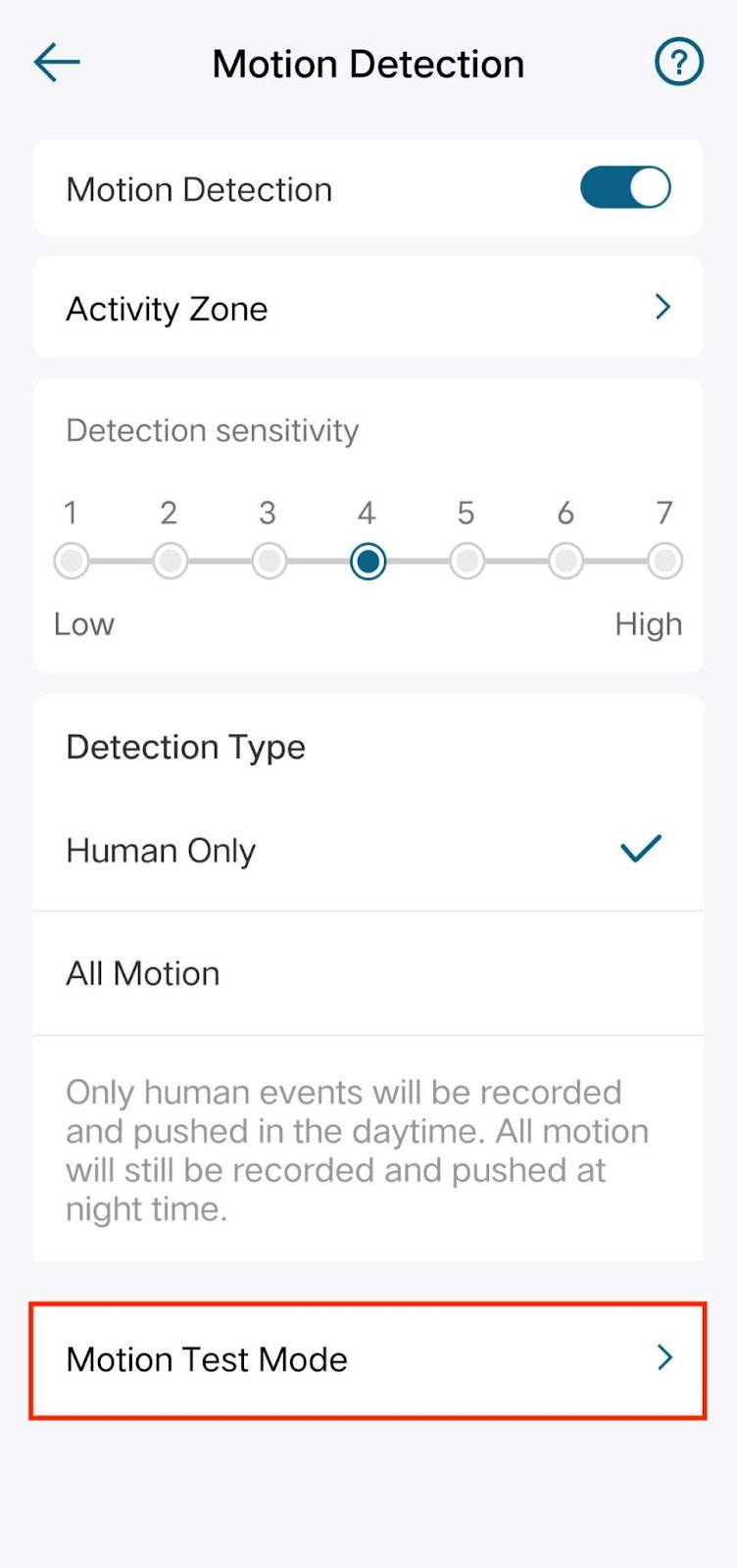

To Adjust Motion Detection Settings on Your eufySecurity Cameras:
1. Launch the eufySecurity app and log in to your eufySecurity account.
2. Go to Camera/Doorbell Settings and find Motion Detection.
3. Find the Detection Sensitivity and tap different numbers to adjust the sensitivity level from low to high or vise versa according to different devices.
4. The sensitivity value will be saved automatically.

The activity zone is also important in Motion detection. For how to set up your camera’s field of view, please refer to Setting Up an Activity Zone for eufySecurity Devices. If you have any further questions, please contact us for assistance.
Was this article helpful?
That’s Great!
Thank you for your feedback
Sorry! We couldn't be helpful
Thank you for your feedback
Feedback sent
We appreciate your effort and will try to fix the article