Harnessing the Power of Smart A.I. Tracking in the eufy App
Modified on: Wed, 10 Dec, 2025 at 11:25 AM
Certain eufy Security devices are equipped with a cutting-edge technology known as the Smart A.I. Tracking function. This AI-powered target-tracking method is designed to enhance your surveillance experience by ensuring that your target always remains within the camera's field of view.
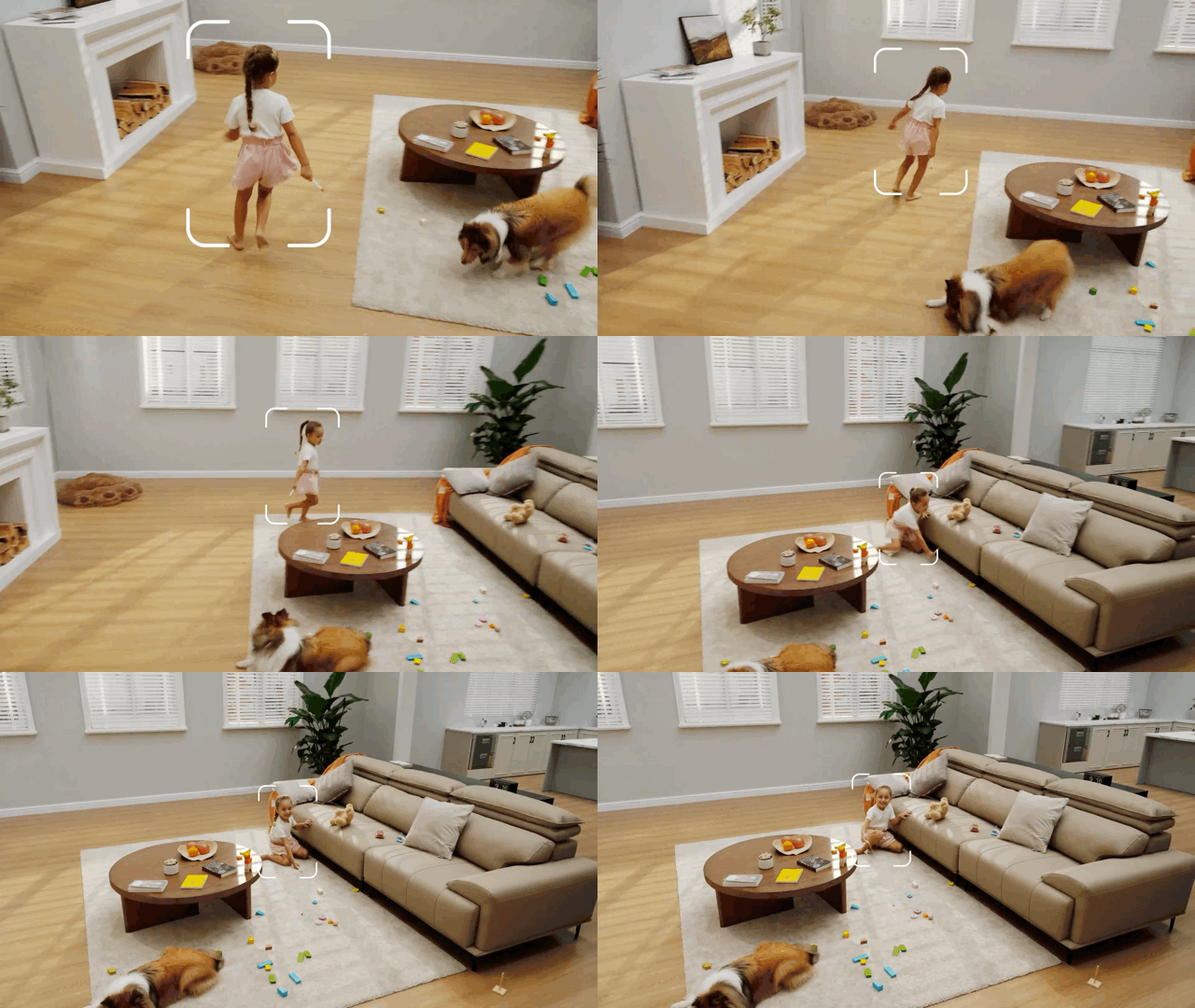
The Smart A.I. Tracking function works by adjusting the position of the camera in real-time to keep up with the movement of the target. This function is particularly useful in situations where you need to clearly and completely capture the entire process of an event, such as monitoring the activities of a pet or tracking the movement of an intruder.
It's important to note that the A.I. Tracking function is disabled by default. To enable this function, simply follow the steps below:
- Go to "Smart"
- Select "Pan & Tilt Settings"
- Enable "AI Tracking"
By enabling the Smart A.I. Tracking function, you can take full advantage of the camera’s advanced capabilities, ensuring that you never miss a moment of what's happening in your monitored areas.
If you have any other questions, please don't hesitate to reach out to us for further assistance.
Was this article helpful?
That’s Great!
Thank you for your feedback
Sorry! We couldn't be helpful
Thank you for your feedback
Feedback sent
We appreciate your effort and will try to fix the article