Introducing Automatic Cruise Feature of eufy Floodlight Cam 2 Pro
Modified on: Wed, 10 Dec, 2025 at 11:25 AM
Generally, the combination of Out-of-view Detection and Motion Tracking features can securely monitor your house. However, if you are worried about potentially missing PIR detection, you can also enable the Auto-Cruise feature. Auto-Cruise feature configures Floodlight Camera 2 Pro to scan area according to different positions you personally set. The camera will automatically start tracking and recording when motion is detected in the scanning area.
How to Enable the Auto-Cruise Feature
Step One: Set “Preset Positions” in Monitoring Settings
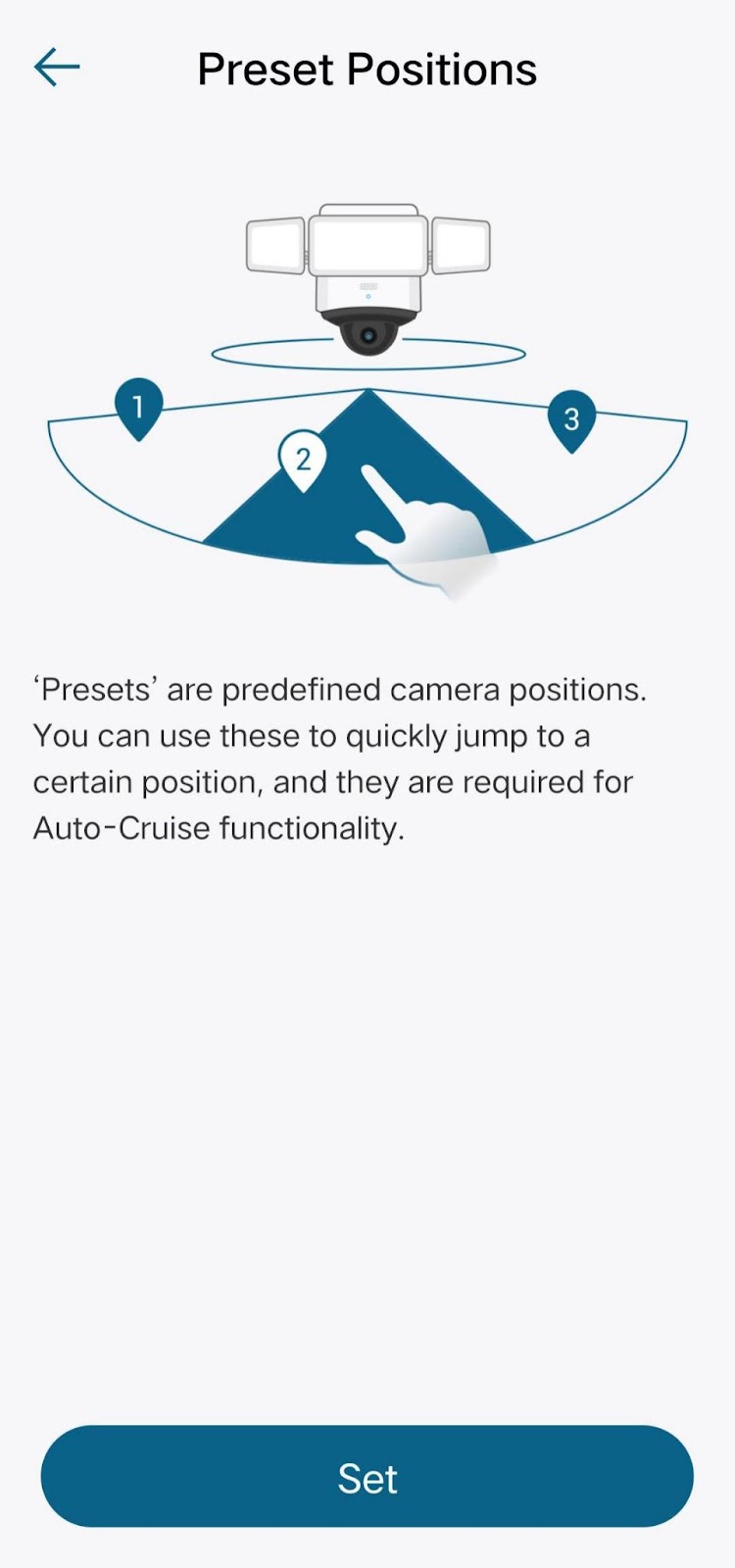
“Preset Positions” are predefined camera positions. You can use these preset positions to quickly jump to certain positions, and they are required for the Auto-Cruise feature. Tap Set to add at least two preset positions for the Auto-Cruise feature. Steps in the Eufy app: Camera Settings > Monitoring Settings > Preset Positions > Set.
Step Two: Turn on the “Auto-Cruise” feature in Monitoring Settings
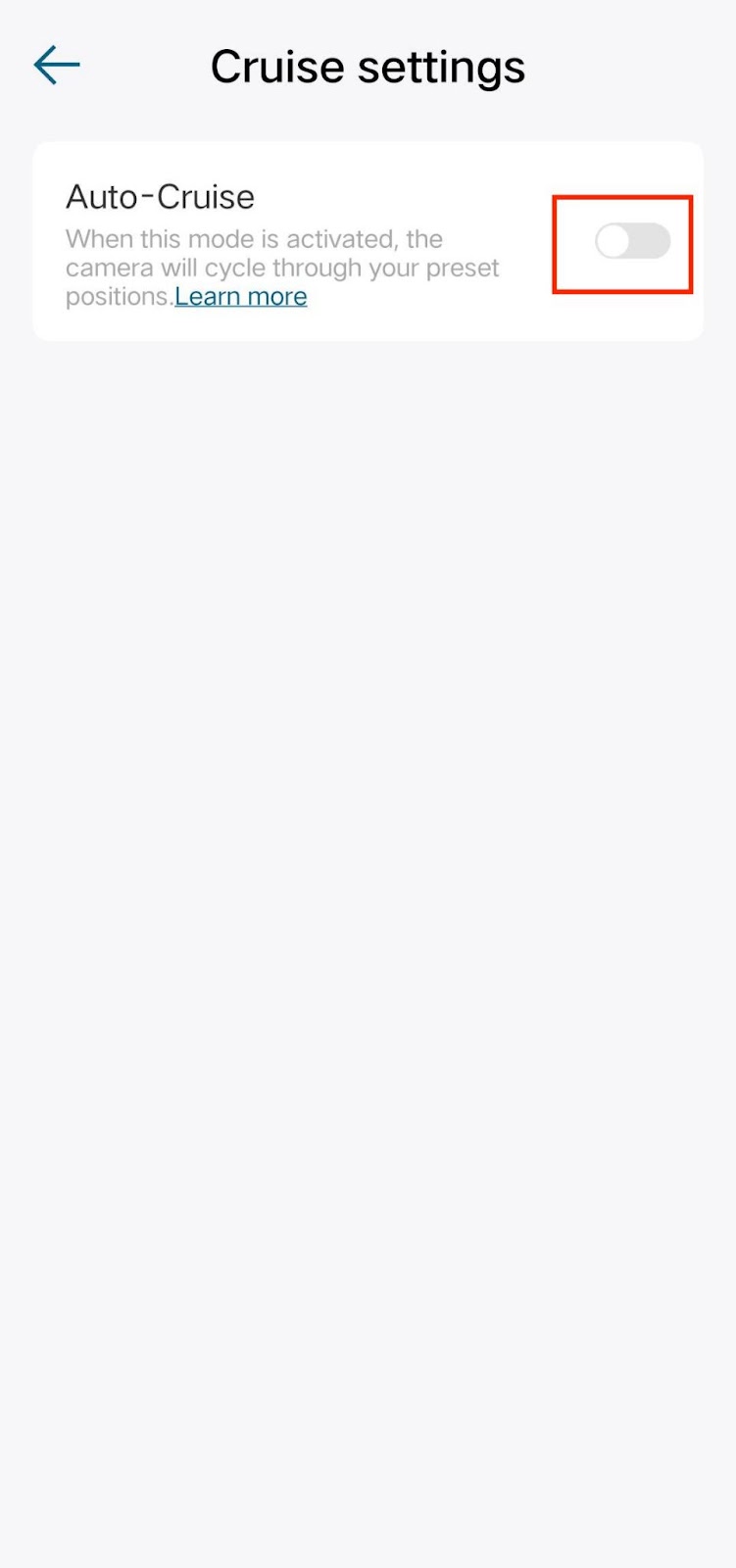
After turning on, the camera will rotate to check whether there are motion activities among the preset positions. If the motion is detected in a certain preset position, it will start recording and tracking from that position. Steps in the Eufy app: Camera Settings > Monitoring Settings > Auto-Cruise > Toggle the Auto-Cruise feature to ON.
If you still have questions regarding the Auto-Cruise feature of eufy Floodlight Cam 2 Pro, please contact us for further assistance.
Was this article helpful?
That’s Great!
Thank you for your feedback
Sorry! We couldn't be helpful
Thank you for your feedback
Feedback sent
We appreciate your effort and will try to fix the article